
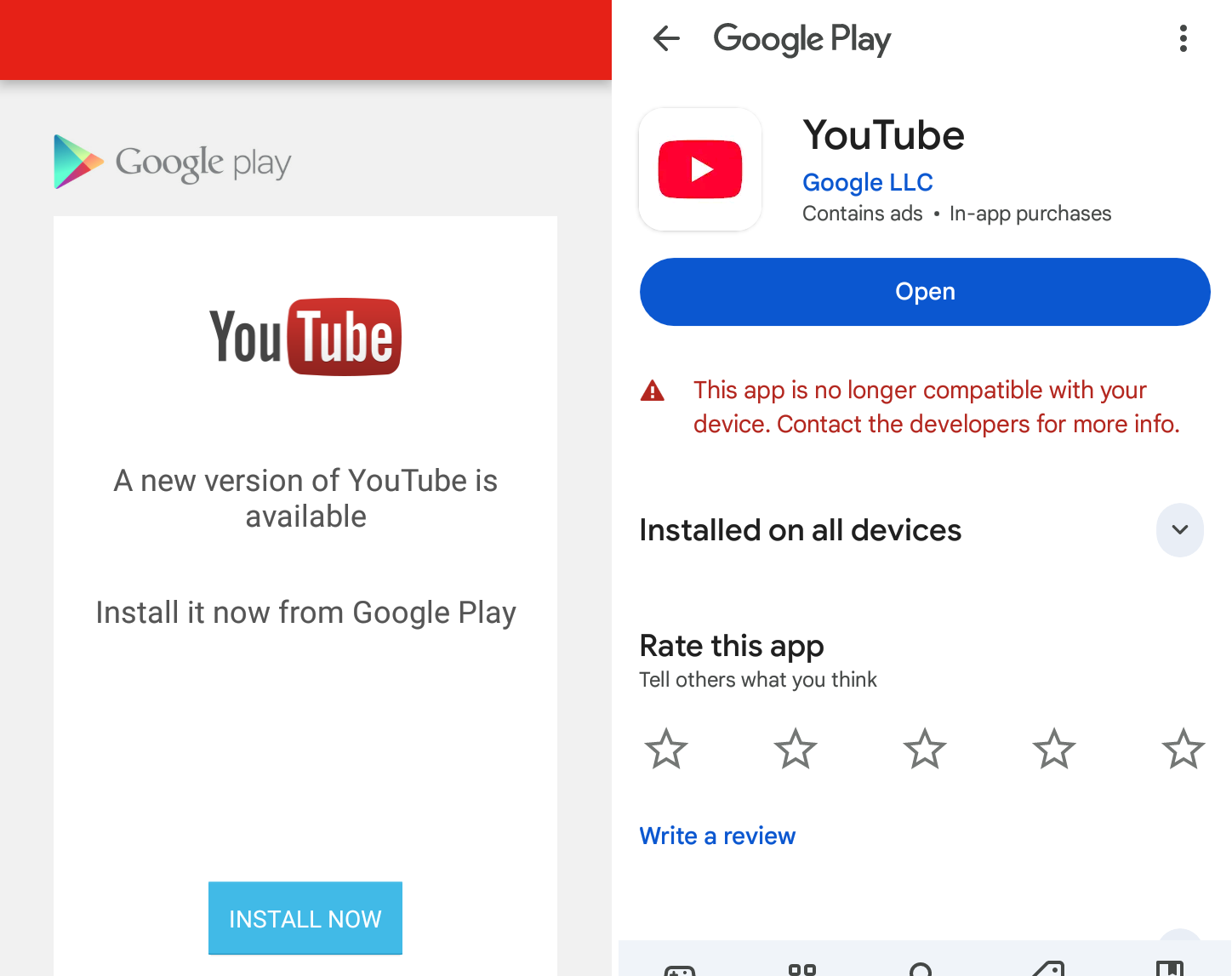
If your YouTube app shows “Your YouTube version is out of date and no updates are available for your device”, don’t panic. This usually means your phone’s operating system is too old for the newest YouTube app. The quick, safe fix is to use YouTube in your browser and add a home-screen shortcut so it behaves like an app.
Below is a clear step-by-step guide (Android + iPhone) that anyone can follow — no tech degree required.
Quick summary (one line)
Open youtube.com in your phone’s browser and add it to your home screen — it’ll behave like the app and keeps working even if the native app can’t update.
Why this happens (short and simple)
- YouTube needs a minimum Android/iOS version. If your OS is too old, app updates stop.
- YouTube may retire old app versions — the app can stop working even if installed.
- App stores show only the “last compatible” app; that version may already be unsupported.
Step-by-step: Android (Google Chrome) — recommended
- Open Chrome on your phone.
- In the address bar type youtube.com and load the page.
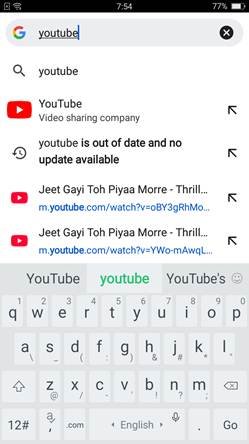
- Sign in (tap the profile icon → sign in) if you want your subscriptions and history.
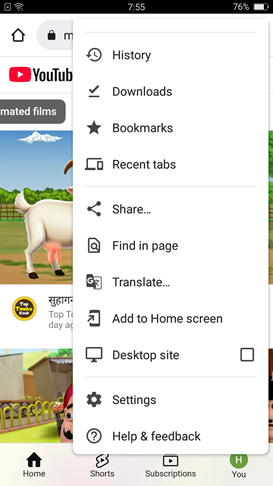
- Tap the three vertical dots (top-right menu).
- Tap “Add to Home screen”.
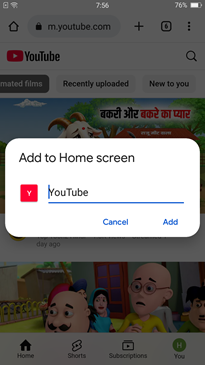
- Edit the shortcut name if you like (e.g., “YouTube”) and tap Add.
- Chrome will place a shortcut on your home screen. Tap it and YouTube opens like an app.
Notes & tips:
- This shortcut opens the browser version (a Progressive Web App on many devices) so it updates automatically.
- You keep most features: subscriptions, search, autoplay, playlists. Offline downloads (app-only) won’t work.
Step-by-step: Android (Firefox / Samsung Internet / other browsers)
- Firefox: Open youtube.com → tap menu (three dots) → Add to Home screen.
- Samsung Internet: Open youtube.com → tap menu → Add page to → Home screen.
(Same wording may vary by browser version, but check for “Add to Home screen” / “Add page to”.)
Step-by-step: iPhone / iPad (Safari)
- Open Safari (the built-in browser).
- Go to youtube.com.
- Tap the Share button (square with an arrow, bottom center on iPhone).
- Scroll the share sheet and tap “Add to Home Screen.”
- Edit the name if you want, then tap Add.
- You’ll see a YouTube icon on your home screen — tap it to open the web version.
Note: In iOS, Chrome cannot create Home screen shortcuts the same way Safari can. Use Safari for the best experience.
Sign in & make it behave like the app
After adding the shortcut, open it and sign into your Google account. Then:
- Pin playlists or subscribe to channels.
- Enable desktop mode only if a feature is missing (not usually needed).
- For quick access, put the shortcut in your dock or primary home page.
Alternatives (if browser shortcut isn’t ideal)
- YouTube Go (where available): A lighter official app for older devices — check Play Store.
- Lightweight browsers: Opera Mini or UC (some work better on low-end phones).
- Upgrade device: Long-term solution if many apps stop supporting your phone.
What not to do (avoid these)
- Don’t sideload random APKs from untrusted sites — they often contain malware.
- Don’t rely on “old APK” hacks — YouTube can block those and they’re unsafe.
- Clearing cache/reinstalling rarely helps if the OS is unsupported.
Short troubleshooting
If the browser shortcut does not work, try this quick list:
- Reload the page and login.
- Clear the browser cache https://youtube.com (Settings → Site settings → Clear).Try another browser (Chrome vs. Firefox vs. Samsung).
- Ensure your phone date & time are correct — weird times can block login.
- If videos buffer, switch to a lower resolution in the player settings.
Quick FAQ (short answers)
Q: Will I lose my subscriptions and watch history?
A: No — sign in and everything is available.
Q: Can I get notifications like the app?
A: Browser push notifications might work if you allow them, but app-style notifications are limited.
Q: Can I download videos for offline viewing?
A: Not via the browser — downloads are an app-only feature.
Final thoughts
If your OS can’t update, the native YouTube app won’t either — that’s just how compatibility works. The browser shortcut is a fast, safe, and nearly identical experience that gets you watching in under a minute. Think of it as a “little app” that never needs updating.