
1. Prerequisites
– A Google account to create OAuth credentials.
2. Create Google OAuth Credentials
1. Go to Google Cloud Console: https://console.cloud.google.com/
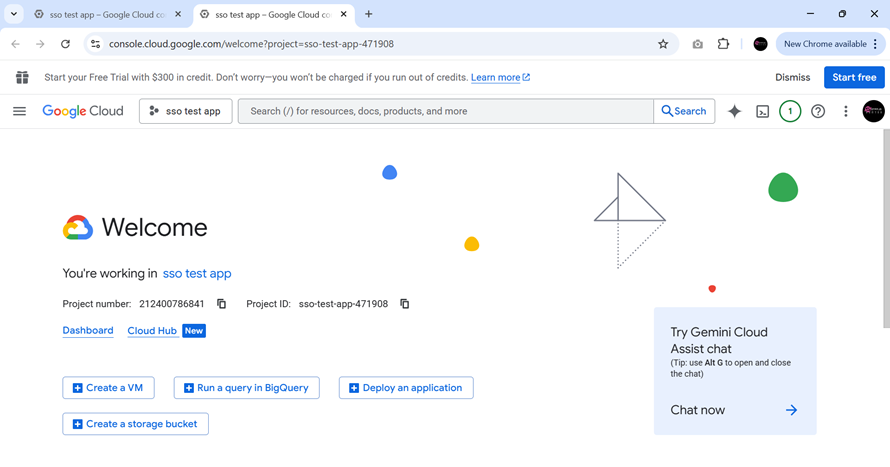
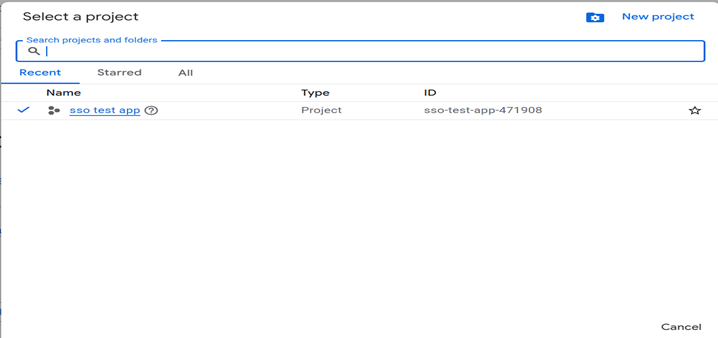
2. Select a project (or create a new one).

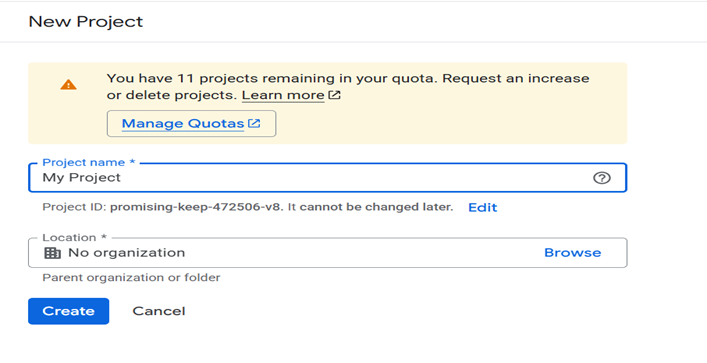
3. Enter project name
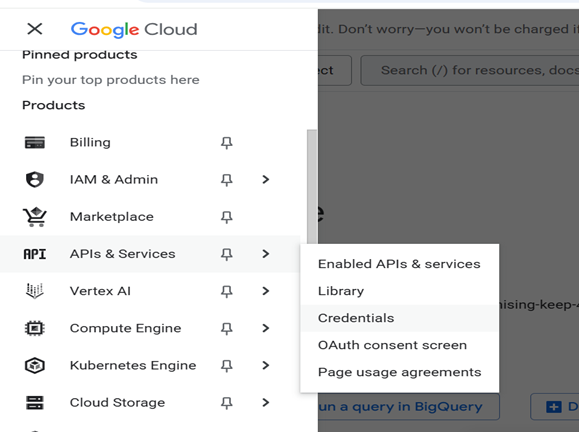
4. Navigate to APIs & Services → Credentials.
5. extra step: google auth platform configure
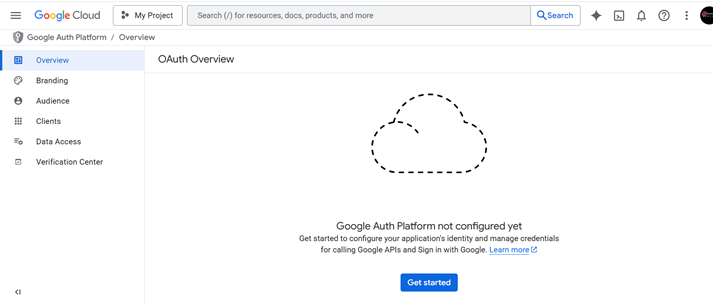
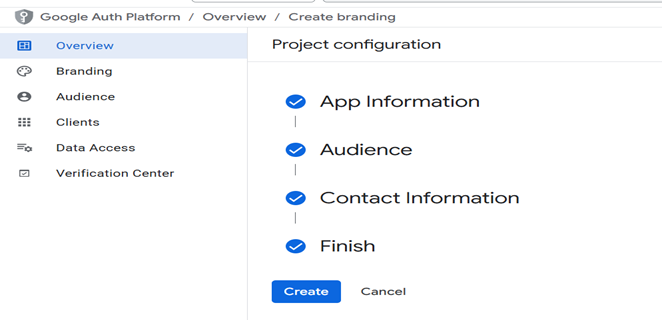
- Add app Information
- Add user support email
- Add Audience
- Add contact information (These email addresses are for Google to notify you about any changes to your project.)
- Final agree policy: I agree to the Google API Services: User Data Policy.
6. Create Credentials → OAuth Client ID.
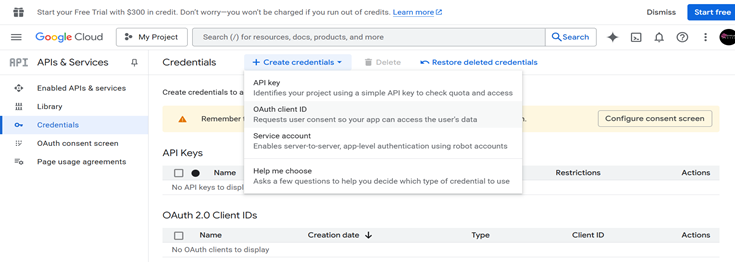
7. Select the Web application.
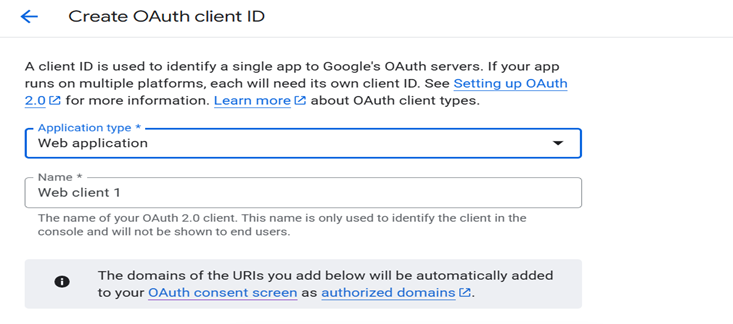
8. Add Authorized redirect URIs (which must match your PHP code):
http://localhost/google-login.php9. Use your domain for production, such as
https://yourdomain.com/google-login.php10. Click Create.
11. Copy Client ID and Client Secret.
3. Configure PHP Project
Inside your project, create file google-login.php and replace placeholders with real values:
$client_id = "YOUR_CLIENT_ID_HERE";
$client_secret = "YOUR_CLIENT_SECRET_HERE";
$redirect_uri = "http://localhost/google-login.php";
4. Full PHP Code with Explanation
Here is the complete working example:
<?php
session_start();

$client_id = "YOUR_CLIENT_ID";
$client_secret = "YOUR_CLIENT_SECRET";
$redirect_uri = "http://localhost/google-login.php";

if (isset($_GET['code'])) {
    $code = $_GET['code'];

    $token_url = "https://oauth2.googleapis.com/token";
    $post_data = [
        'code' => $code,
        'client_id' => $client_id,
        'client_secret' => $client_secret,
        'redirect_uri' => $redirect_uri,
        'grant_type' => 'authorization_code'
    ];

    $ch = curl_init();
    curl_setopt($ch, CURLOPT_URL, $token_url);
    curl_setopt($ch, CURLOPT_POST, true);
    curl_setopt($ch, CURLOPT_POSTFIELDS, http_build_query($post_data));
    curl_setopt($ch, CURLOPT_RETURNTRANSFER, true);
    $response = curl_exec($ch);
    curl_close($ch);

    $token_info = json_decode($response, true);

    if (isset($token_info['access_token'])) {
        $access_token = $token_info['access_token'];

        $user_info_url = "https://www.googleapis.com/oauth2/v2/userinfo?access_token=$access_token";
        $user_data = file_get_contents($user_info_url);
        $user = json_decode($user_data, true);

        echo "<h1>User Details</h1>";
        echo "Name: " . $user['name'] . "<br>";
        echo "Email: " . $user['email'] . "<br>";
        echo "Picture: <img src='" . $user['picture'] . "' />";
    } else {
        echo "Error fetching access token.";
    }
} else {
    $google_auth_url = "https://accounts.google.com/o/oauth2/v2/auth?" . http_build_query([
        "scope" => "email profile",
        "redirect_uri" => $redirect_uri,
        "response_type" => "code",
        "client_id" => $client_id,
        "access_type" => "online"
    ]);

    header("Location: $google_auth_url");
    exit;
}

if (isset($_GET['logout'])) {
    session_destroy();
    header("Location: http://localhost");
    exit;
}
?>
5. OAuth 2.0 Flow Summary
1. User clicks Login with Google.
2. PHP redirects them to Google login page.
3. Google asks user to login & consent.
4. Google redirects back with code.
5. PHP exchanges code for access_token.
6. PHP fetches user profile (email, name, picture).
6. Logout Example
if (isset($_GET['logout'])) {
    session_destroy();
    header("Location: http://localhost");
    exit;
}
7. Security Notes
– Keep Client Secret safe (don’t push to GitHub).
– Use HTTPS in production.
– Store tokens in session or database, not frontend.